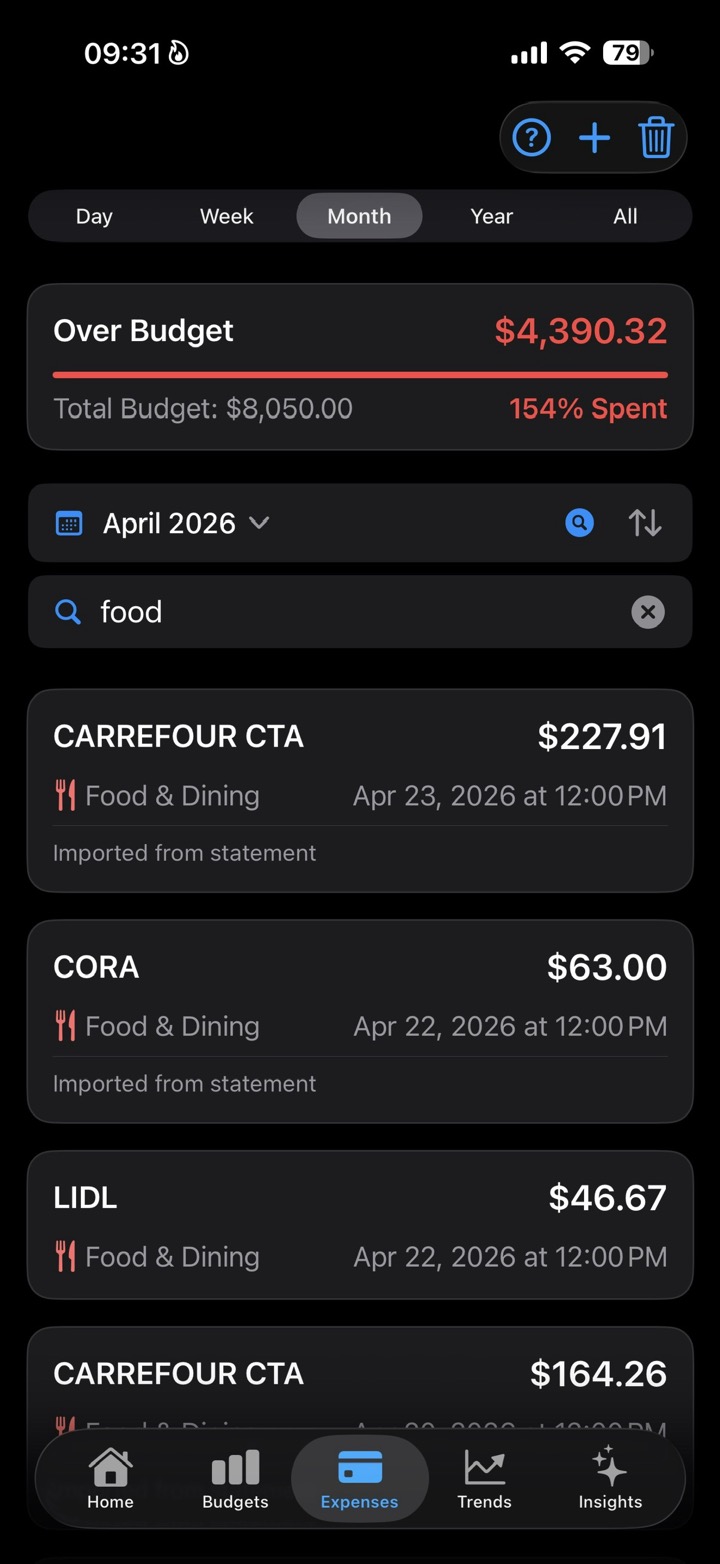
A payment by itself is only an amount, a date, and a name. Useful, but still flat.
When that payment gets a category, it starts to explain the month. Food, bills, transport, shopping, travel, and the custom areas that matter to you become the shape of your spending.
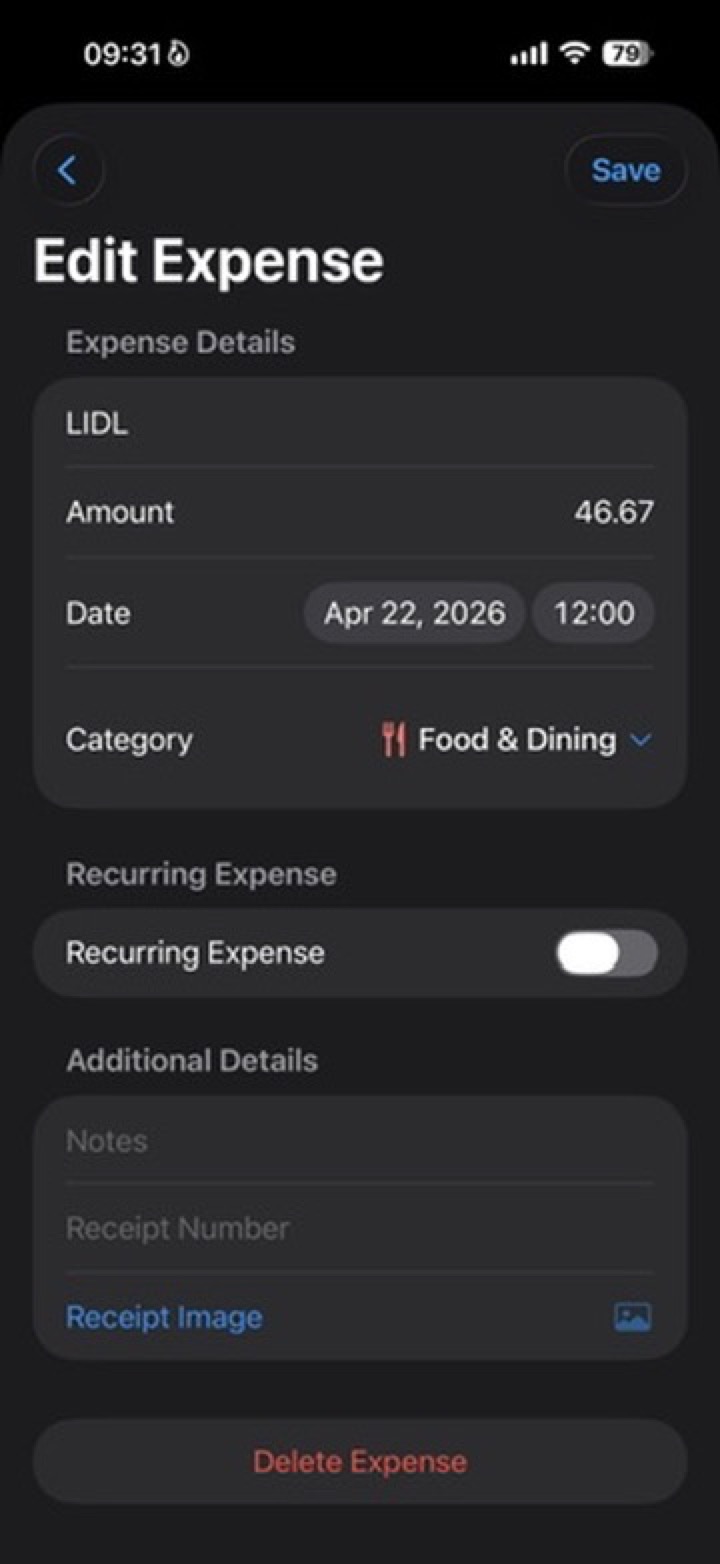
Start with the expense
A LIDL payment tells you money left your pocket. It does not tell you what part of life that money belongs to.
Mark it as Food & Dining, and it becomes part of a pattern instead of just another row.
The category gives it a place
Categories do not need to be perfect on day one. Start with a few that are easy to recognize.
The goal is not to build a spreadsheet. The goal is to make the month readable.
- Food & Dining
- Bills & Utilities
- Transportation
- Shopping
- Entertainment
- Travel
- Other or custom categories
Why it matters later
The same category can then appear in budgets, Trends, Category Breakdown, reports, and Smart Insights.
That is why categorizing expenses is not busywork. It is the step that lets the app explain where the money went.
- Trends can show which categories spent the most.
- Category Breakdown can show each category's share of the period.
- Budgets can compare real spending with the limit you set for that category.
- Smart Insights can notice changes in the right place.
Keep it simple
If you are unsure where something belongs, choose the closest category and move on.
You can refine later. A useful category today is better than a perfect system you never use.